
Quotex Login Guide: How to Access Your Account Safely
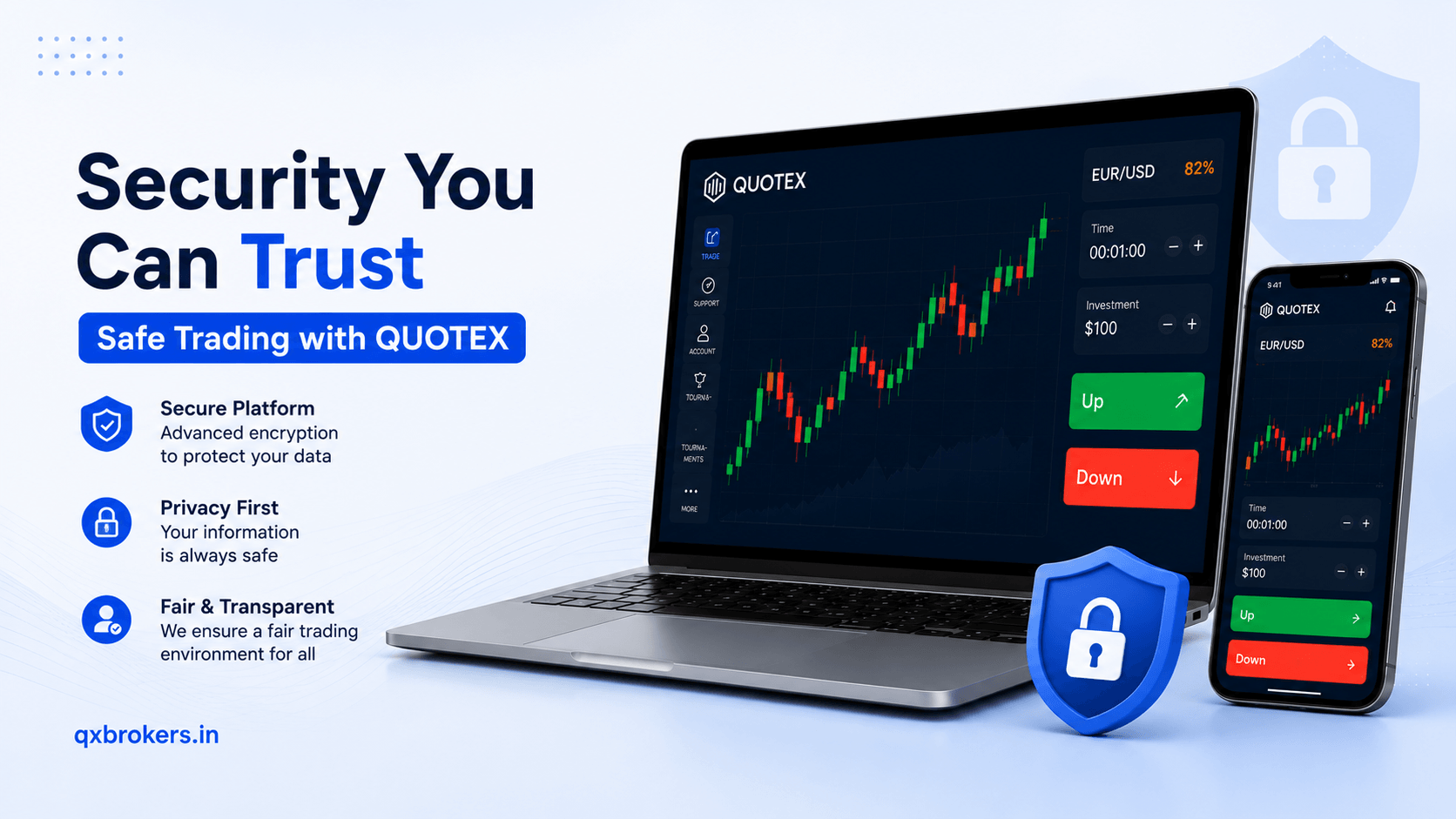
Many users search for Quotex login because they want to access their account, use the demo account, check their balance, deposit funds, withdraw money or complete verification. However, login safety is very important because fake websites, phishing pages and unofficial support messages can put user accounts at risk.
Therefore, this guide explains how to access Quotex safely, what to check when login does not work, how to avoid fake login pages and what users in India, Pakistan and other regions should know before entering account details.
QX Brokers is an independent informational guide about Quotex. This article is not financial advice, legal advice or an official statement from Quotex. Users should always use official platform access for account-specific actions.
Table of Contents
- What is Quotex login?
- How to log in to your Quotex account
- Quotex demo login vs real account login
- What details do users need for login?
- Common Quotex login problems
- How to reset a forgotten password
- How to avoid fake Quotex login pages
- Mobile login safety tips
- What to do if your account is blocked or restricted
- When to contact official support
- Quotex login checklist
- FAQs
What Is Quotex Login?
Quotex login is the process of accessing your trading account through the platform. After logging in, users may access demo trading, real trading, account balance, deposit options, withdrawal options, verification requests and profile settings.
However, users should treat login details carefully. Your email and password protect your account. If someone gets access to them, they may try to enter your account, change settings or misuse personal information.
Because of this, users should always access Quotex through trusted sources. Moreover, they should avoid any person who asks for their password, OTP, email login or account recovery fee.
If you are new to the platform, first read What Is Quotex and How Does It Work? to understand the platform before accessing your account.
How to Log In to Your Quotex Account
The login process is usually simple. However, users should follow each step carefully to avoid mistakes.
Step 1: Open the Official Platform
First, open the official Quotex platform or trusted access point. Do not click random links from Telegram groups, WhatsApp messages, YouTube comments or unknown websites.
A fake login page can look similar to the real platform. Therefore, always check the website address before typing your email or password.
Step 2: Click the Login Option
Next, look for the login button on the platform. It usually appears near the top area of the page or inside the account access section.
Step 3: Enter Your Registered Email
Then, enter the same email address you used during registration. Make sure you spell it correctly.
A small mistake in the email can stop login access. Therefore, check every letter before submitting the form.
Step 4: Enter Your Password
After that, enter your account password. The official FAQ recommends using a complex password with lowercase letters, uppercase letters and numbers. This helps reduce the risk of unauthorized access.
Step 5: Complete Any Security Step
The platform may ask for extra confirmation depending on account activity or security settings. Follow only the instructions shown on the official platform.
Step 6: Access Your Dashboard
Once login is successful, you can access your account dashboard. From there, you may use demo trading, check profile settings, review payment options or open platform features.
If you want to practise before real trading, read How to Use Quotex Demo Account in India.
Quotex Demo Login vs Real Account Login
Many beginners confuse demo access and real account access. However, both serve different purposes.
A demo account helps users practise with virtual funds. It allows beginners to understand charts, trade amount, expiry time and platform tools without using real money.
A real account involves actual funds. Therefore, it also connects to deposits, withdrawals, verification and payment methods.
Therefore, beginners should use the demo account first. After that, they can study the Quotex minimum deposit and withdrawal guide before adding real funds.
What Details Do Users Need for Quotex Login?
Users usually need their registered email address and password. They may also need access to their email or phone if the platform sends account notices.
During registration, users should use accurate details. This matters because wrong information can create login, verification or withdrawal problems later.
Users should keep these details safe:
- Registered email address
- Account password
- Phone number used during registration
- Access to email inbox
- Transaction proof if payment issues happen
- Verification documents if requested
In addition, users should not use someone else’s email, phone number or payment method. This can create account ownership issues later.
If verification becomes necessary, read Quotex Verification: Documents, Time and Common Issues.
Common Quotex Login Problems
Login problems can happen for many reasons. Fortunately, users can solve many of them by checking simple details first.
Wrong Email Address
A user may enter the wrong email address by mistake. Therefore, check spelling, dots, numbers and domain name carefully.
For example, a Gmail address and another similar-looking email may not be the same account.
Wrong Password
Password mistakes are common. Check whether caps lock is on. Also, check whether your browser saved an old password.
If you cannot remember the password, use the official password recovery option instead of guessing many times.
Browser Cache Issue
Sometimes the browser stores old data. Therefore, users can clear cache, refresh the page or try private browsing mode.
Internet Connection Problem
A weak connection can interrupt login. So, check Wi-Fi, mobile data and browser loading speed before assuming account issues.
Platform Maintenance
Sometimes a platform may be temporarily unavailable due to updates or technical issues. In that case, wait and try again later.
Account Restriction
If your account has been restricted, normal login steps may not work. Only official support can review account-specific restrictions.
Incorrect Website Link
Users may open a copied or fake website by mistake. This can create both login failure and security risk.
For account-specific support direction, read the Contact Quotex guide.
How to Reset a Forgotten Password
If you forgot your password, use the official password recovery option. Do not ask random people online to recover the account for you.
A safer password reset process usually includes these steps:
- Open the official platform
- Click password recovery or forgot password
- Enter your registered email
- Check your inbox for instructions
- Follow the official reset link
- Create a strong new password
- Log in again through the official platform
Moreover, check your spam or promotions folder if the reset email does not arrive.
Users should not share the password reset link with anyone. If someone asks for your reset link, OTP or email login, treat it as unsafe.
The official password recovery page is available through the official Quotex platform at Quotex password recovery.
How to Create a Strong Password
A strong password helps protect your account. The official FAQ recommends a complex password with lowercase letters, uppercase letters and numbers.
A strong password should:
- Use uppercase and lowercase letters
- Include numbers
- Avoid your name or birthday
- Avoid simple words like password123
- Avoid using the same password everywhere
- Stay private
- Change if you suspect a leak
In addition, users should protect the email account linked to Quotex. If someone accesses your email, they may try to reset your platform password.
How to Avoid Fake Quotex Login Pages
Fake login pages are one of the biggest risks for online account users. These pages copy the design of a real platform and trick users into entering login details.
Warning Signs of a Fake Login Page
Be careful if you see:
- Strange website spelling
- Extra words in the domain
- Broken design
- No secure connection
- Free balance offers
- Guaranteed profit claims
- Request for password through chat
- Request for OTP outside the platform
- Pressure to log in quickly
- Download links from unknown sources
Unsafe Places to Avoid
Do not log in through:
- Unknown Telegram links
- WhatsApp recovery agents
- Random YouTube comment links
- Unofficial APK pages
- Bonus claim pages from strangers
- Fake customer support profiles
- Pop-up websites promising profit
The FTC phishing scam guide explains how scammers use fake messages and links to steal account details. Therefore, users should learn these warning signs before entering login information anywhere.
Mobile Login Safety Tips
Many users access Quotex from mobile because it feels convenient. However, mobile access needs extra care.
Use a Secure Browser
Use an updated browser and avoid unknown browser apps. Moreover, avoid logging in from public or shared devices.
Avoid Unknown APK Files
Some websites may offer app files that claim to be Quotex. However, unknown APK files can contain malware or fake login screens.
If you want mobile access, check the official platform first. You can also read the Quotex app download guide for Android, browser and safety tips.
Keep Your Phone Locked
Use a screen lock, fingerprint or PIN. If someone can open your phone, they may access your email, browser or saved passwords.
Avoid Public Wi-Fi
Public Wi-Fi can increase security risk. Therefore, use a trusted private connection when logging in, depositing or withdrawing.
Keep Google Play Protect On
Android users should keep Google Play Protect active. Google explains that Play Protect checks apps and devices for harmful behavior. You can read more through Google Play Protect Help.
What to Do If Quotex Is Not Opening
If the platform is not opening, do not panic. First, check simple causes.
Try these steps:
- Check your internet connection
- Refresh the page
- Clear browser cache
- Try another browser
- Restart your device
- Disable unsafe extensions
- Check whether the official platform is temporarily unavailable
- Avoid unknown mirror links
- Contact official support if the problem continues
Moreover, do not download random apps only because the browser version is not opening. This can create security risk.
What to Do If Your Account Is Blocked or Restricted
If your Quotex account is blocked or restricted, users should contact official support. Account-specific issues cannot be solved by unofficial websites.
Possible reasons for restrictions may include:
- Duplicate accounts
- Incorrect details
- Verification issue
- Suspicious activity
- Violation of platform rules
- Payment-related review
- Security concern
Do not pay anyone who promises to unlock your account. Also, do not create another account without understanding platform rules because this may create more problems.
If your account access issue is connected to verification, read the Quotex verification guide.
When to Contact Official Support
Users should contact official support when the issue cannot be solved with basic checks.
Contact support if:
- Password reset does not work
- Your registered email is no longer accessible
- Your account shows a restriction notice
- You suspect unauthorized access
- Verification blocks account access
- Deposit or withdrawal is connected to login issues
- You cannot access support from inside the account
When contacting support, provide clear details. However, do not share your password or OTP.
Useful information may include:
- Registered email
- Date when the issue started
- Screenshot of error message
- Device and browser used
- Whether password reset was tried
- Whether verification is pending
- Payment proof if the issue connects to funds
Quotex Login Safety for India and Pakistan Users
Users in India and Pakistan should pay special attention to safe access because many unofficial pages target popular trading searches.
Before logging in, check:
- Whether you are using official platform access
- Whether the website spelling is correct
- Whether you can access your registered email
- Whether your phone number is active
- Whether payment methods are available
- Whether you understand local rules
- Whether you know trading risk
For country-specific details, read Is Quotex Available in India and Pakistan?.
What If You Can Log In But Cannot Withdraw?
Sometimes users can log in but cannot withdraw. In that case, the issue may not be login-related. It may connect to verification, payment method, withdrawal limit, provider delay or account review.
First, check account notifications. Then, check whether verification is pending. Also, confirm that your withdrawal method and account details are correct.
For more help, read Quotex Withdrawal Pending: Reasons and Next Steps.
What If You Can Log In But Your Deposit Is Not Showing?
If you can log in but your deposit is not showing, check your payment receipt, transaction ID, account email and provider status.
A deposit may be delayed because of payment processing, wrong details, crypto network confirmation or platform review.
Read Quotex Deposit Not Showing: What Users Should Check for a step-by-step checklist.
Quotex Login Checklist
Before logging in, use this checklist:
- I am using official platform access
- I checked the website address
- I entered the correct email
- I entered the correct password
- My internet connection works
- My browser is updated
- I am not using public Wi-Fi
- I am not sharing my screen with strangers
- I am not entering OTPs outside the platform
- I saved no password on a shared device
- I can access my registered email
- I know how to contact official support
This checklist helps users avoid common account safety mistakes.
How Login Safety Supports Better User Experience
Safe login habits protect account access, personal details and payment-related activity. Moreover, they help users avoid stress when they need to check deposits, withdrawals or verification requests.
AEO-focused answer: Quotex login safety means using official platform access, entering the correct registered email and password, avoiding fake links and protecting account details from phishing scams. If login fails, users should check password, email, browser and official support options first.
FAQs
How do I log in to Quotex?
Open the official platform, click the login option and enter your registered email and password.
Why can’t I log in to Quotex?
Common reasons include wrong email, wrong password, browser cache, weak internet, temporary platform issues or account restrictions.
What should I do if I forgot my Quotex password?
Use the official password recovery option. Then, check your registered email for reset instructions.
Can Quotex support ask for my password?
No. Users should never share passwords, OTPs or email login details with anyone.
Is Quotex login safe on mobile?
Mobile login can be safe if users use official access, secure their phone, avoid unknown APK files and protect their password.
Can I use Quotex without downloading an app?
Yes, the official FAQ says users do not need to download a program because they can register on the website and open an account.
Why is my account blocked after login?
Account restrictions may happen because of duplicate accounts, incorrect details, verification issues or platform rule violations. Only official support can review account-specific cases.
What if my registered email is wrong?
Contact official support and explain the issue. Do not create duplicate accounts without checking platform rules.
Is it safe to use Telegram login links?
No. Avoid login links from unknown Telegram groups or unofficial users.
What should I do if I suspect phishing?
Change your password through the official platform, secure your email and contact official support if account activity looks suspicious.
After learning login safety, users should continue with the Is Quotex Available in India and Pakistan? guide to understand access, payment availability and country-related checks before using real funds.